How can i change my treatment plan?
If your dose needs to be adjusted, you can update it directly in your subscription portal. Here’s how:
Log in to your account
-
Go to our website and sign in using your email address and the secure code sent to your inbox.
-
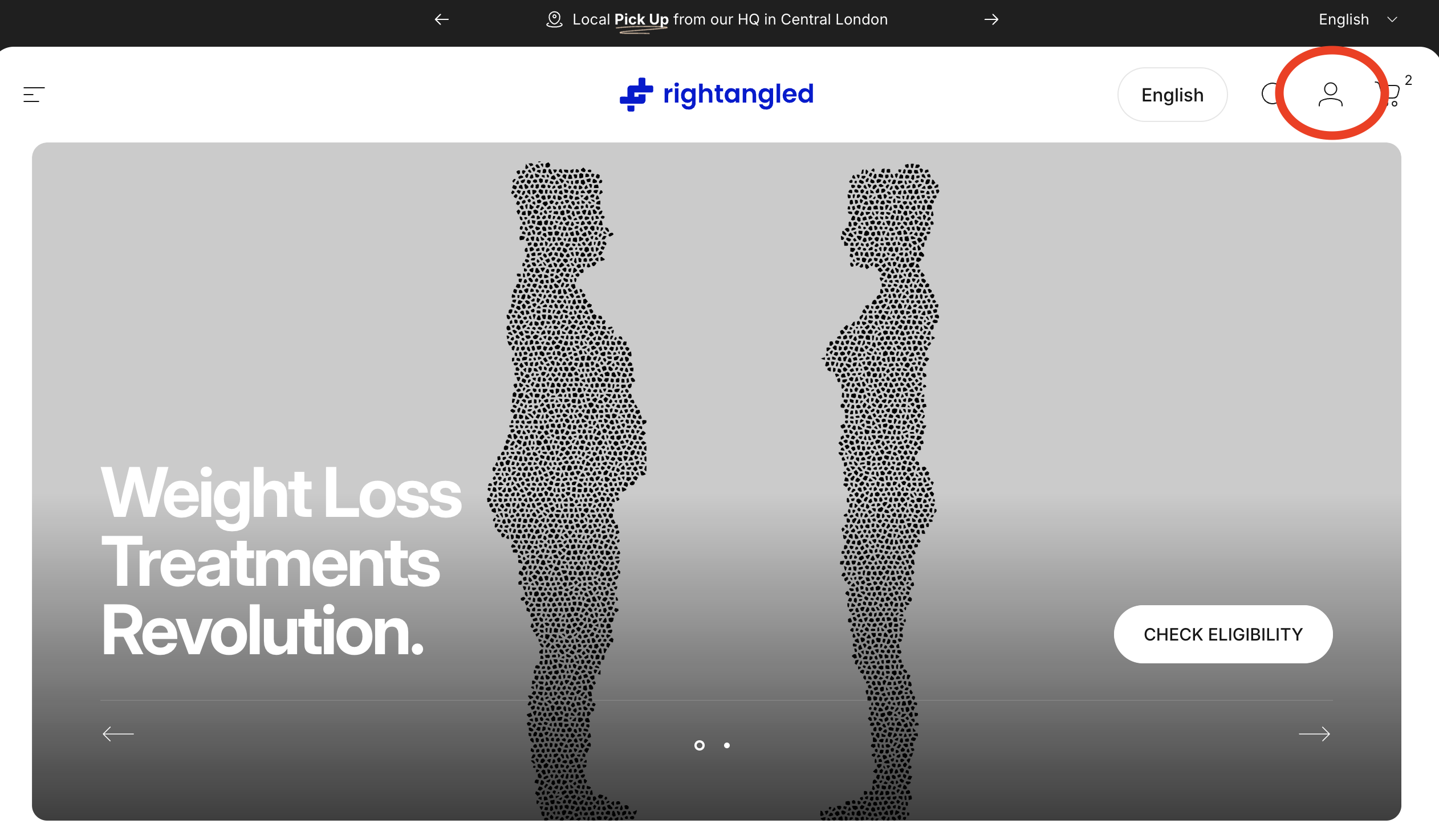
Once logged in, click on the figure in the top right corner
Select the Manage My Subscription tab.
Edit your current medication
- Find your active subscription.
-
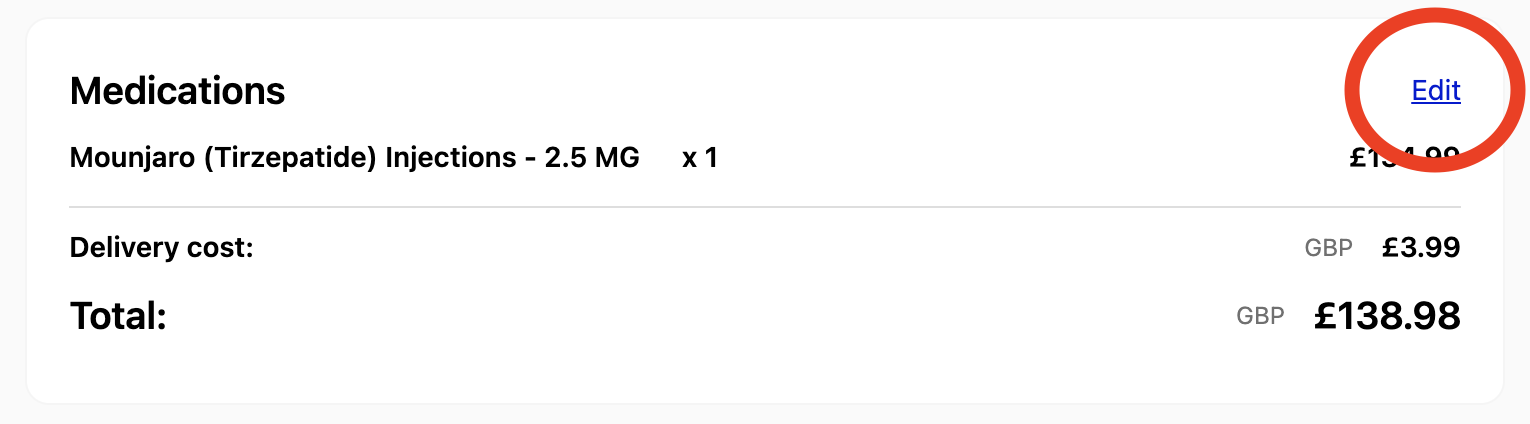
Next to your medication, click the Edit button.
Add your new dose
-
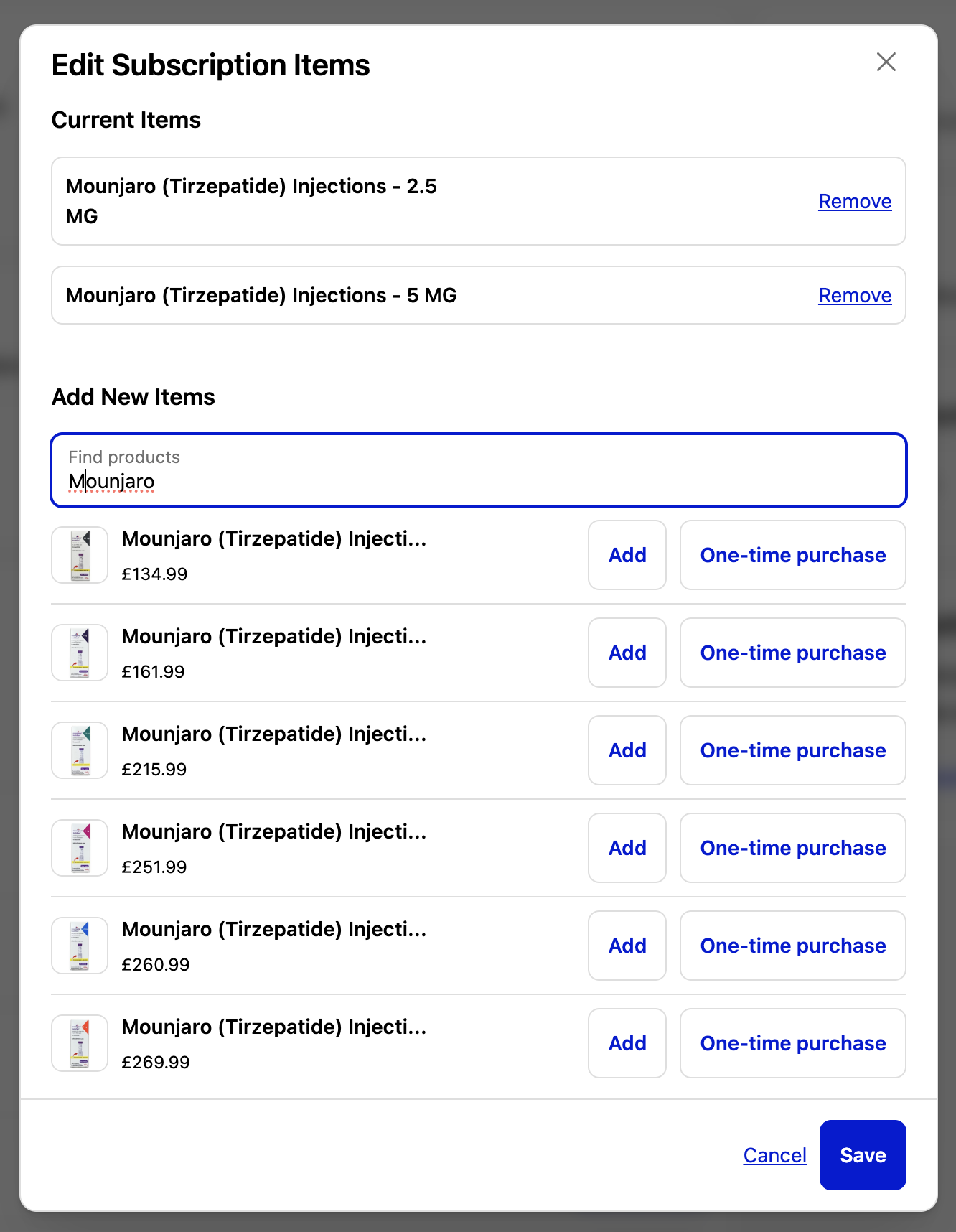
Click Add Item.
-
Search for and select your medication at the new required dose.
-
The new item will now appear in your upcoming order list.
Remove the old dose (if needed)
-
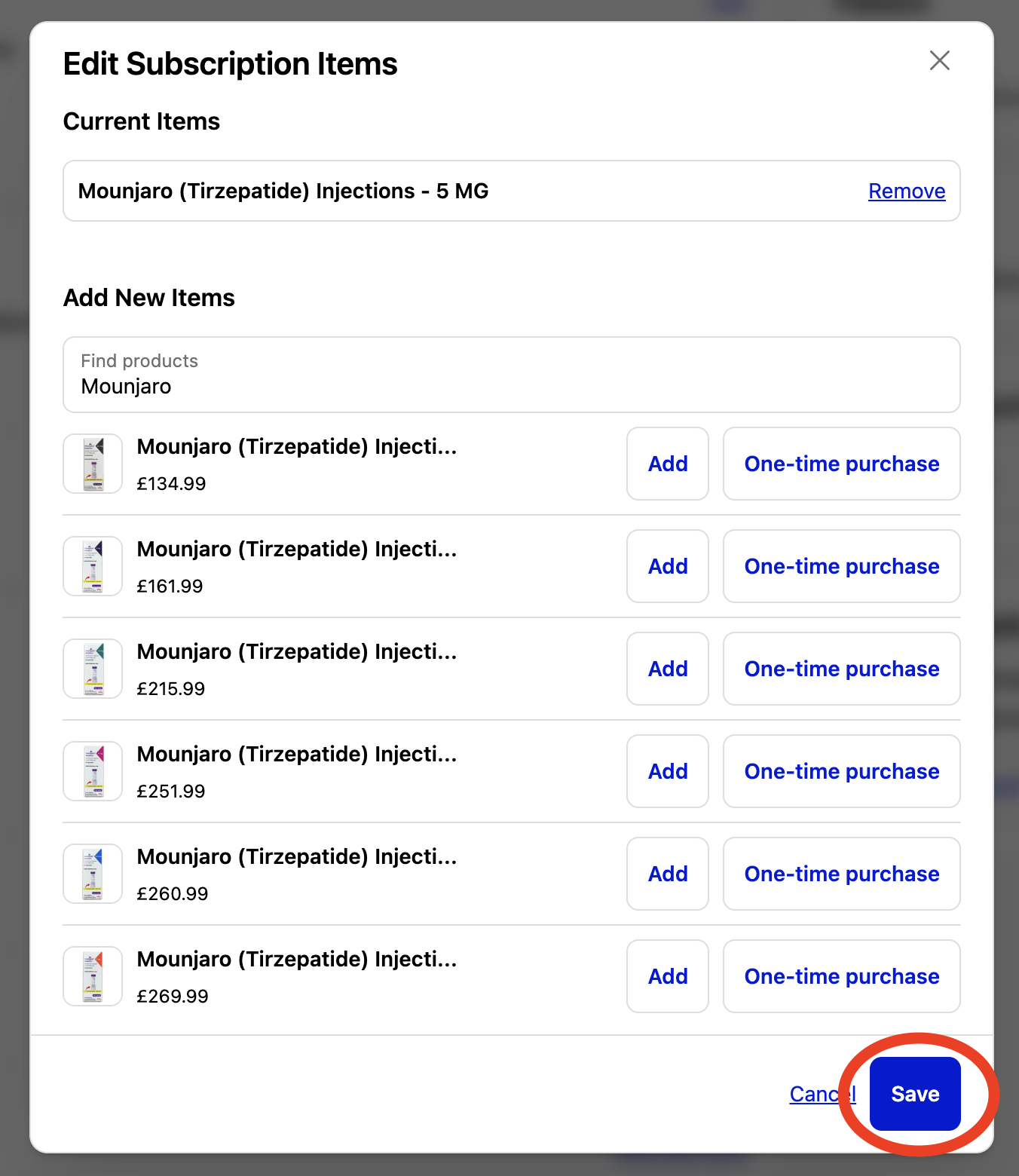
Once the new dose has been added, select the old dose from your list and remove it.
- This ensures only your updated medication will be sent in your next order.
Need help?
For more information, you can reach out to our customer service team at info@rightangled.com for further assistance.
Thanks for your feedback!