How can I pause my subscription, and what happens when I do?
Understand your options to pause subscription and avoid unwanted charges
This guide explains how to pause your Rightangled subscription, what each option means, and important things to consider before making changes.
Managing your subscription
You can manage your subscription at any time through your account:
- Log in to your Rightangled account
- Go to Manage my subscription
From here, you can update, pause, cancel, or modify your subscription based on your needs.

Pausing your subscription
If you choose to pause your subscription:
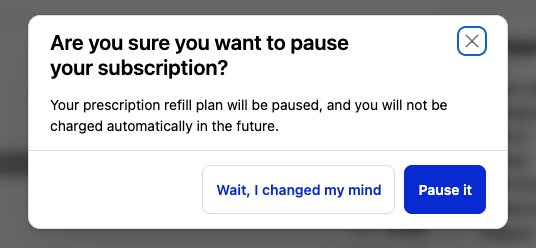
- Your prescription refill plan will be paused
- You will not be charged automatically while the subscription is paused
- You can resume your subscription at any time
This is a good option if you want a temporary break without fully cancelling your plan.
Important timing considerations ⚠️
.You can manage this directly through your Rightangled account, and your subscription will be paused immediately once the change is confirmed.
.If you request a pause through our support team via email or by phone , please ensure you do so at least 3 working days before your next billing date to give amble of time for those charges to take effect.
- If you do not make changes in time, your next order may proceed
Once an order has:
- Entered clinical review
- Been approved
- Entered pharmacy processing
- Been dispatched
👉 It may no longer be possible to cancel and refund the order.
What happens after you pause?
Pause:- Stops future automatic charges temporarily
- Keeps your subscription available to resume
Need help?
If you are unsure whether to cancel, pause, or modify your subscription, or if you need urgent assistance:
- Contact our support team at info@rightangled.com
- Provide your account details and request
We’re here to help you make the best decision for your treatment and schedule.
Summary
Rightangled gives you full control over your subscription. You can pause to take a break, cancel to stop future charges, or edit your plan to better suit your needs. Always make changes at least 3 working days before your billing date to avoid unwanted charges or orders.
Thanks for your feedback!